
NOW AVAILABLE: New policy, procedure for interface approvals in Mosaic
Effective Monday, January 12, the Office of the Comptroller has issued a new CTR Mosaic Interface Request and Approval Policy which replaces the retiring MMARS Interface Approval and MMARS Interim Interface Policies.
The CTR Mosaic Interface Request and Approval Policy will detail a new process for departments to submit requests for new interfaces, or to request recertification of an existing interface. Departments are required to submit these requests via a new tile on the CTR Solution Desk portal. Paper forms or fillable PDFs will no longer be accepted.
Please note: No new requests for MMARS interfaces will be approved.
How to submit a Mosaic Interface Request
Note: Mosaic Interface Approval Requests must be submitted by a department Chief Fiscal Officer.
- Visit the CTR Solution Desk portal.
- Select “Submit a Ticket” and log in.
- Select the new “Interface Request” tile.
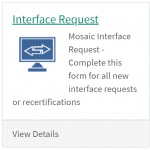
- Complete the form.
Departments with questions should submit a ticket to the CTR Solution Desk.